

🎅Let’s Add Some Christmas Magic to Your Holiday Emails🎄❄️
These simple tips will help you add some Christmas fun to your emails this Holiday season. You can do everything shown in this article with the Emoji panel that comes with Windows 11. If you’re using Windows 10, you’ll have more limited options.
Who doesn’t like a little Christmas magic? Let’s make your holiday emails a little bit more magical and attention-grabbing!

First, please note that this won’t work with all email programs or social media platforms. But this tip does work in most webmail apps, including Gmail, Hotmail, Outlook.com, and Yahoo Mail. It also works in OE Classic. Thunderbird, MS Outlook (current version), the Windows 10 and 11 Mail app, and the version of Outlook.
Windows Emoji Pad (as we call it – others call it the Emoji Panel) is an oft-forgotten feature of Windows 10 and 11. Windows 11’s Emoji Pad (and to some extent Windows 10’s) allows you to easily add Holiday Magic to your emails (and social media posts on some platforms) with just a couple of clicks.
This post was written for Windows 11, and the Windows 11 Emoji Pad — the pictures of the Emoji Pad shown here are from Windows 11.
How to open the Emoji Pad
There are two easy ways to open the Emoji Pad in Windows 11 and 10.
Hold down the Windows key and tap the . (period) key.
— or—
Hold down the Windows key and tap the ; (semi-colon) key.
When the Emoji pad opens, it opens to the Emoji section. Right below the Emoji section, you’ll see the GIF section.
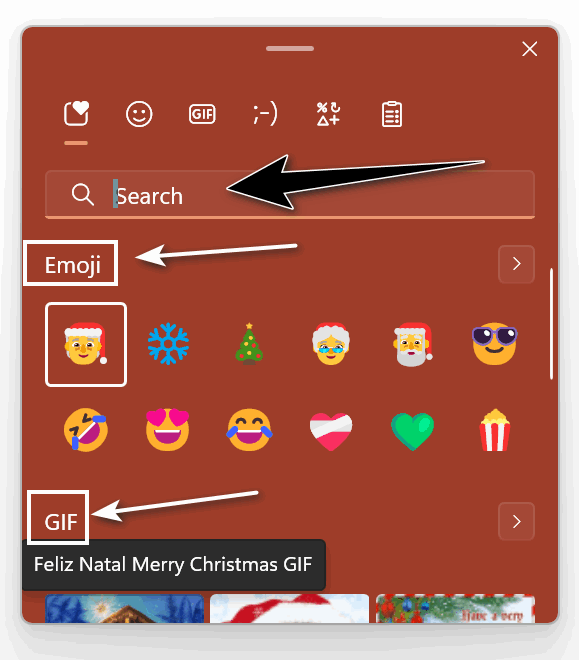
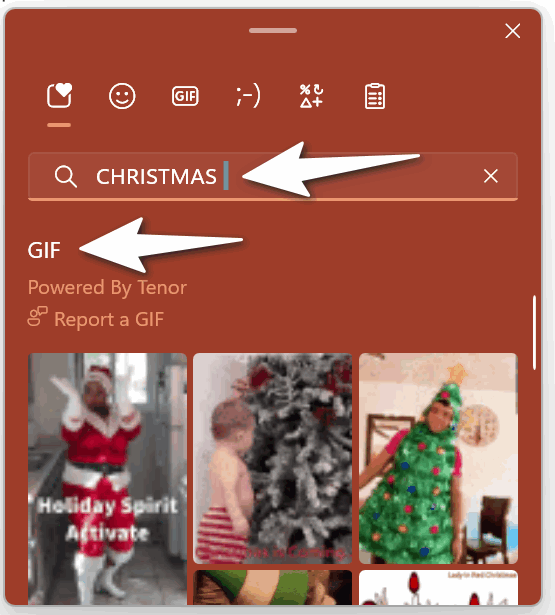
Note: You can search all sections of the Emoji pad by typing your search term in the Search box. Since we’re in the Christmas season now, we typed in Christmas.
Let’s add some Christmas magic to your holiday emails. It’s easy

The Windows 11 Emoji Pad has a limited number of Christmas emojis, but a nice selection of animated Christmas GIFs. We will use the emoji to add some magic to the subject line and save the gifs for the message body – but you can use them any way you wish.
First, you can add an emoji from the Emoji Pad to the subject line by clicking in the subject line and then clicking the emoji you want to use in the Emoji Pad. Here we used a Santa and a Christmas tree.

Then, go ahead and type your message. You can add an animated GIF anywhere in the message body by opening the Emjoi Pad, scrolling down to the GIFS section, and clicking on the GIF you want to add. There are a lot of gifs, but you’ll have to type CHRISTMAS in the search box to see them all.

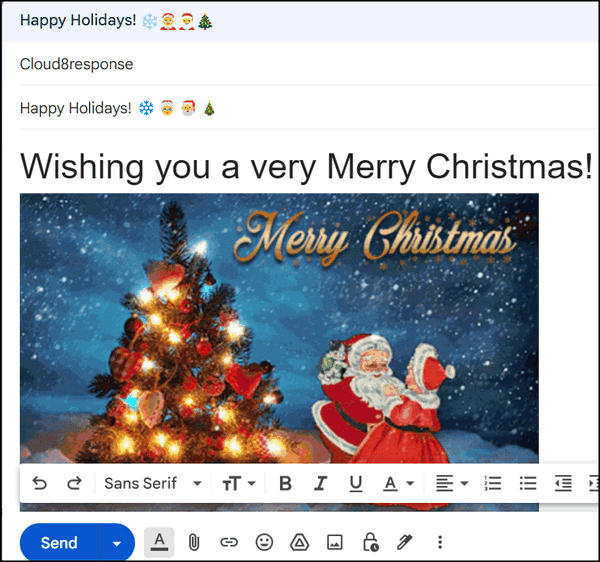
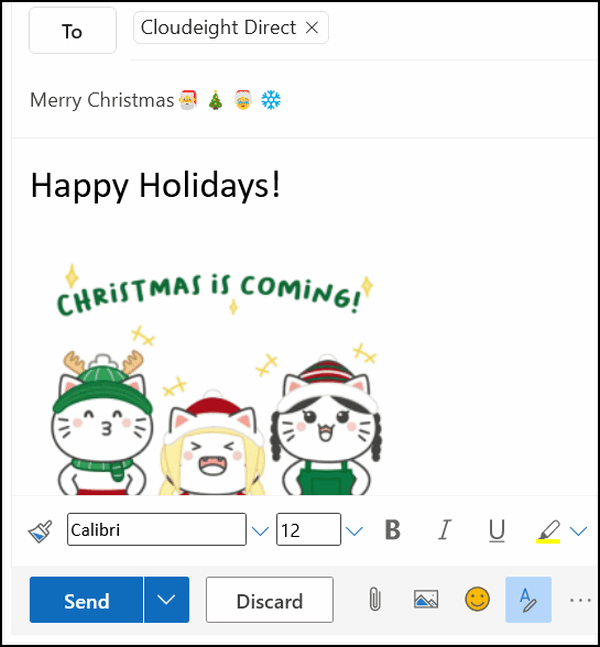
When your lucky recipient receives your email, they’ll see your cheery emoji in the subject line, your good wishes, and the animated gif in the body of the email… see?
You can use this tip in most email programs as well as in Gmail, Outlook.com, and Hotmail…
This screenshot is from the composition window in Gmail.
And this screenshot is from Hotmail/Outlook.com.
The Windows Emoji pad can help you add some Christmas fun and magic to your holiday emails!


🧑🎄Happy Holidays! Merry Christmas!🎄❄️🧑🎄
Wonderful addition! I had forgotten these came in Windows 11. I’ll use several in the next week, I’m sure!
May the two of you and your families have a wonderful Christmas Season.
Terry
Port Coquitlam
British Columbia
Canada
Oh sad my Windows 10 only has emojis no gifs. When I go to search it puts a typed emoji and it says it can’t be found. But that’s okay I have the wallpaper Site and The fonts sites for Christmas so I’m happy.
Oh humbug, using win 11, for some reason it won’t let me add a search 🙁
Oops, I got it working now. Operator error, I didn’t tap I only pressed period once.
Thank you and Merry Christmas
Dear T.C, AND DARCY,
APOLOGIES , AS i HAVE BEEN A BIT SLACK OVER THE LAST FEW MONTHS AND HAVE NOT SHOWN MY APPRECIATION FOR THE WONDERFUL WORK ETHICS , KINDNESS, AND HELP YOU SHOW TO YOUR FAITHFUL FOLLOWERS FROM ALL OVER THE GLOBE. I FOR ONE AM ALWAYS SO ENAMERED WITH YOUR PATIENCE AND DEDICATION THAT YOU SHOW TO YOUR LOYAL FOLLOWERS AND AM SURE THAT YOU MUIST LIKE ALL OF US HAVE YOUR BAD DASY BUT YOU JUST KEEP ON KEEPING ON. I HAVE BEEN ASSOCIATED WITH YOU FOR SAFELY AT LEAST 2O YEARS OR MORE FROM THE OTHER SIDE OF THE WORLD AND WOULD NOT CHANGE A MINUTE OF IT. A VERY BIG THANK YOU FROM ME TO YOU AND A WEONDERFUL FESTIVE SEASON TO BOTH AND A MERRY CHRISTMAS TO ALL AND TO ALL A GOOD NIGHT.
Hello,
Win 11 Animated giffs worked like a charm. All that received them were very happy with the additional action.
Have a Merry Christmas and a Happy New Year.
🎅😍😁🥰