
Are You a Gmail User? Here’s How to Take Control Of Your Email Subscriptions
This is a quick, easy, and useful tip – the kind we all like. If you use Gmail, we’ll show you how to quickly view the number of email subscriptions you have. The subscriptions you see are all the ones you signed up for with your Gmail account.
Assuming you’re already signed into your Google account or Gmail, go to:
https://mail.google.com/mail/u/0/#sub
Wait a few seconds, and you’ll see a page showing all of your subscriptions for your Gmail address. You’ll also be able to block or unsubscribe from any of the senders listed.
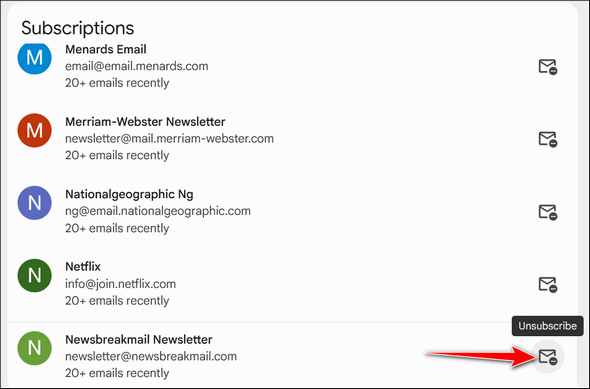
If you’re like me, you’ll probably be amazed at how many things you’ve subscribed to. I counted 37 email subscriptions I must’ve signed up for (or some scammy site got my email address from someone other than me) and forgot about.
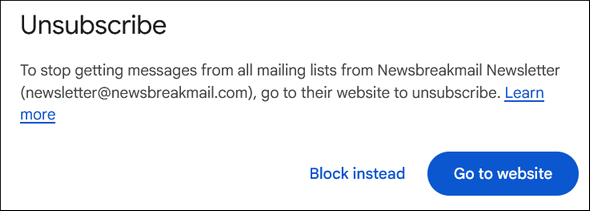
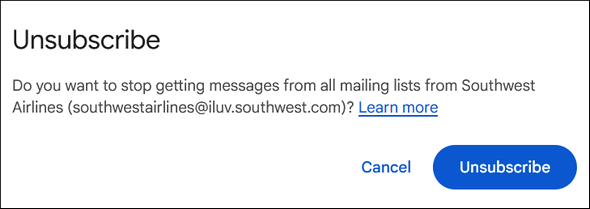
Time to clean house. Some senders, if the option was available, I blocked; others, I assume more legitimate, I unsubscribed from. Either way, it only took a few minutes to go through the list and get rid of the ones I did not want.
We hope you found this tip quick, easy, and useful!
The link you provided re GMail Unsubscribe etc. did not lead to anything other than a giant letter “M” with Google Workspace below it.
I’ll find what you’re getting at on my own but I thought some of your other readers may need a better link.
Hope TC is becoming his old self again.
Terry B.
Perhaps the reason the link didn’t work was because I didn’t have any subscriptions?
Sorry if I caused an issue.
TerryB
Maybe you weren’t signed into Gmail.