

Bringing Back a Legend: How to Get Windows Movie Maker on Windows 11
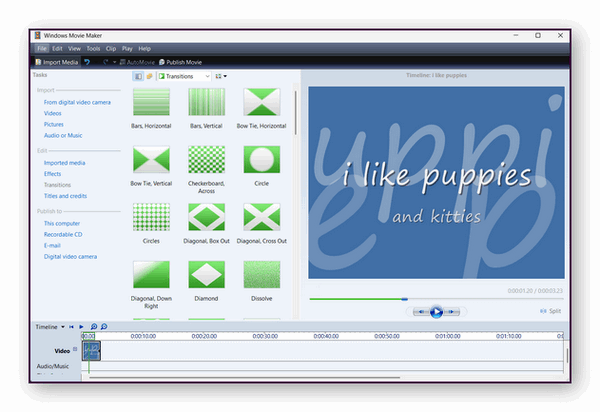
Back in January 2017, Microsoft officially retired its classic video editing app, Windows Movie Maker, leaving a lot of everyday PC users in the lurch. It certainly wasn’t Hollywood-grade software, but its simple, drag-and-drop design meant absolutely anyone could cut, splice, and edit home videos without a steep learning curve.
Microsoft tried to replace it with a basic “Video Editor” tucked inside the Windows Photos app, but it fell completely flat. Then, in 2021, Microsoft bought Clipchamp and made it the default video editor for Windows 11. While Clipchamp is decent, it is a heavy web-based app that isn’t everyone’s cup of tea – and it uses a ton of RAM.
The Good News: Movie Maker is Back!
If you miss the good old days of Windows Movie Maker, you can actually run it on Windows 11 right now. Thanks to a clever preservation effort by a user named @skylerdagirl (and spotted by Windows Latest), Windows Movie Maker version 6.0 is available as a completely free download via the Internet Archive.
The downloadable installer file has been thoroughly tested and runs smoothly on both Windows 10 and Windows 11.
Why Switch Back?
Nostalgia isn’t the only reason to grab this classic download. According to performance tests, this lightweight version of Windows Movie Maker uses a whopping 97 percent less RAM than modern Clipchamp.
If you are trying to edit video clips on an older laptop, a budget PC, or a weaker machine, going back to the classic Movie Maker will give your system a massive performance boost. It is fast, efficient, and just as easy to use as you remember.
You can download an updated version of Windows Movie Maker that will work on Windows 10 and Windows 11 from the Internet Archive.
Here’s the direct link to the Windows Movie Maker installer.
Hi you troubleshooters,
Just downloaded the Movie Maker you wrote about. First link you supplied came back with an error. Second link worked but after installation stalled on opening and supplying another error popup.
Any other siilar reports or is it just me and my arrow?
Cheers,
Terry
All the links work. The only error during installation is when the installer tries to download updates from the Microsoft server. There are no updates and have not been since 2017.The file installs and the program works perfectly. I tested it on 2 different computers.
Thanks a lot guys. Loved this program and just downloaded it. Appears to be working well but have not started a new project. Was surprised that it still had several others I had done in the past saved as Projects.