

Easily Find What You’re Looking For On This Site
Almost everything that appears in our newsletters can be found on this site. And we’ve made it easy to find by including a site search feature powered by Google. This makes it very easy to find what you’re looking for, without searching through all our newsletters.
Here’s how easy it is to use this site’s search feature:
1. At top of the page, you’ll see, on the right-hand side, that there is a search feature (highlighted in yellow below).

2. Here is a close up for you:

3. In the search box type what you’re looking for and click “Search InfoAve”. As an example, above, we’re going to search for how to “Fix Windows Update”. In less than half a second, we’ve found several Cloudeight articles on how to fix Windows Update as well as other articles related to Windows Update. The most relevant results are displayed first.

4. Here’s another example for you:
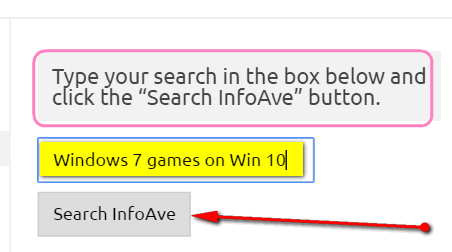
Above, you can see we’re looking for any articles written by Cloudeight about getting the real Windows 7 games on our Windows 10 computer. We search for “Windows 7 games on Win 10”. And below, you can see that all the articles relative to the search appear when you click “Search InfoAve”. Again, the results most relevant to the search appear first.

Now you know the fastest, easiest way to find what you’re looking for right here on our Cloudeight InfoAve website. So search!
Thank you, thank you TC and EB. You may remember (or not) a couple of email exchanges between us re your previous InfoAve search window which suddenly stopped working for me a long time ago. We never did find out why. This is a GREAT solution for my problem.
Very helpful, thank you.
Carol