

O&O ShutUp10++: Take Back Control of Windows Privacy
O&O ShutUp10++ is a popular, free, and portable utility designed to give users hands-on control over the many privacy and telemetry settings in Windows 10 and Windows 11 by consolidating dozens of options that would otherwise require digging through multiple Settings menus, Group Policy, or the Windows Registry.
O&O ShutUp10++ is completely free for everyone and requires no installation; simply download a small file and run it. You can even put it on a USB drive and run it from there.
It consolidates over 100 Windows settings related to privacy, security, system updates, and app permissions into one simple interface and uses a traffic light–style safety system to mark each setting with a color-coded indicator showing the risk of making changes: green for options that are generally safe to disable with minimal or no loss of major functionality, amber for those that may cause usability issues or minor feature loss such as clipboard history, and red for options that carry a high risk of breaking essential Windows or third-party features such as Windows Update.
Each setting includes a detailed explanation that describes what it does and what the impact will be if you disable it, and the program strongly encourages or prompts you to create a system restore point before applying changes, providing a crucial safety net. It is also updated regularly to add controls for new and controversial Windows features, including the ability to disable aspects of Windows Copilot+ Recall.
Here’s a word from the developers…
O&O ShutUp10++ means you have full control over which comfort functions under Windows 10 and Windows 11 you wish to use, and you decide when the passing on of your data goes too far. Using a very simple interface, you decide how Windows 10 and Windows 11 should respect your privacy by deciding which unwanted functions should be deactivated.
O&O ShutUp10++ is entirely free and does not have to be installed – it can be simply run directly and immediately on your PC. And it will not install or download retrospectively unwanted or unnecessary software, like so many other programs do these days!
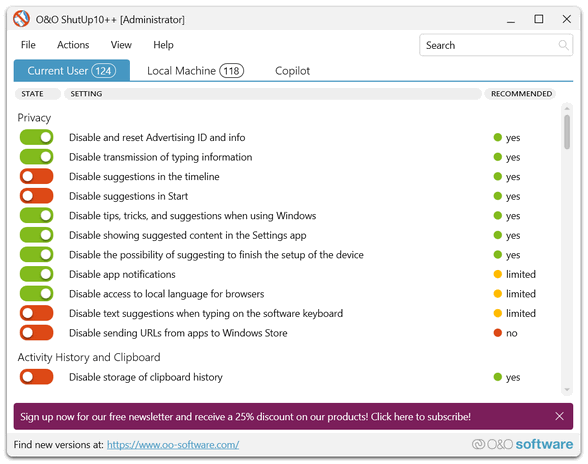
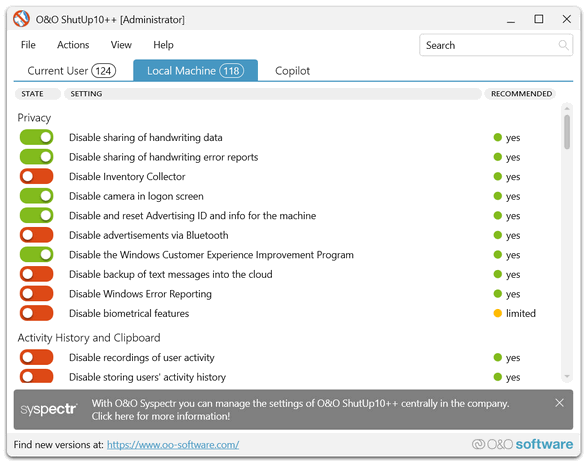
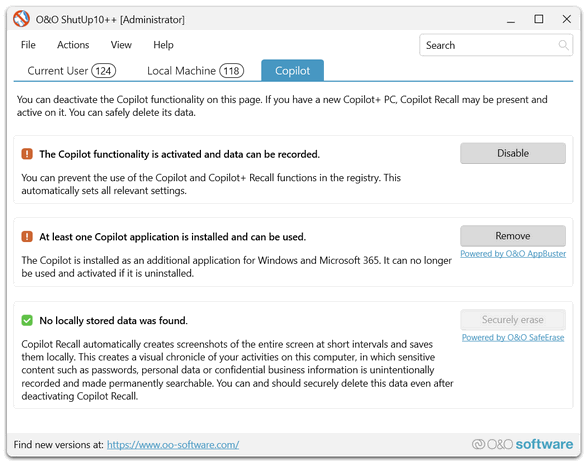
O&O ShutUp10++ from O&O Software GmbH, an established and well-respected German software company known for data recovery and drive utilities, means you can download and use this app with confidence. It does not install hidden components or download unwanted or unnecessary software in the background, meaning it’s not like so many other free utilities that come bundled with things you don’t want. In other words, O&O ShutUp10++ is good, clean, freeware.
Most changes the program makes simply toggle settings that Microsoft already allows through Group Policy or the Registry, so they rely on standard Windows settings and can be easily reverted to their default from within the app.
To sum things up: If you want more privacy with minor risks, then 0&0 ShutUp10++ may be just the tool you’ve been looking for. You can read more about and/or download 0&0 Shutup 10++ here.
Where can I software?
I’m sorry, I don’t understand your question.
https://www.oo-software.com/en/shutup10
Is there a link
https://www.oo-software.com/en/shutup10