

The “Slide to Shut Down” Trick
This “trick” is for Windows 10 and Windows 11.
Here’s a Windows trick that not many people know. If you want to expand or boost your Windows knowledge or impress your friends with your Windows acumen, you’ll love this easy Windows trick.
If you want a hidden, “stylized” way to turn off your PC that looks like a mobile interface, regardless of whether you’re using a laptop, desktop, or all-in-one, Windows has a hidden executable file that can make that happen. And it’s so easy to do.
Right-click your desktop and select New > Shortcut.
Type the following (exactly): slidetoshutdown.exe
In the “Name the shortcut” type Slide to Shutdown (or whatever you want)
Click Next and Finish.
Now, double-click the Slide to Shutown (or whatever you name it) icon. A “shade” will drop halfway down your screen. You can slide it down with your mouse to shut down your PC.
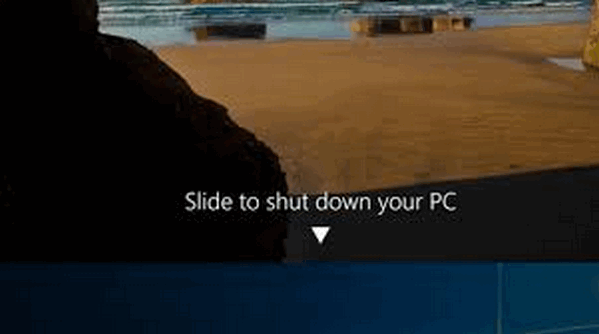
Yep! We know it’s completely useless in terms of productivity. It’s a file that has been hidden in the System32 folder for a decade that 99% of people have never seen or even heard of. Plus, if you use it, you have another Windows shutdown option.
What? No Venetian blind?
awesome tip. Thank you.
I love this one. Thanks!!
OOPSY, I was trying it out and it didn’t seem to have a way to not shut down when you click on that shortcut. Cool feature though. I wonder if there is a way to change it’s background.
I didn’t play with the slide to shut down enough to realize just click below the arrow to not shut down. Another tidbit in my knowledge you have shown us all how to do. Thanks so much for your plethora of information you all provide to all of us.