

Windows 11 Privacy Made Easier with DoNotSpy11
A Cloudeight Freeware Pick for Windows 10 and Windows 11
As most of you know, privacy is a precious commodity in this day and age. We’re constantly bombarded with targeted ads, data collection, and invasive tracking. Windows 10 and 11 offer some privacy controls, but they’re not set with your privacy in mind, plus they are often convoluted and buried deep within the Settings menus. This is where DoNotSpy11 can help you sort things out.
DoNotSpy11 is a free (there is a “freemium” version available starting at $5) Windows application that empowers you to take control of your privacy. It provides a user-friendly interface to manage a vast array of settings, making it easy to disable telemetry, location tracking, targeted advertising, and more.
DoNotSpy11 allows you to:
* Manage privacy settings for Windows, Microsoft Edge, Office, and various other applications.
* Tweak individual settings to achieve the desired level of privacy.
* A simple and intuitive interface makes it accessible for users of all technical levels.
* Safely change Windows privacy settings. Color coding helps you decide which tweaks are safer than others. Those in blue are listed as safe, those in orange require more reading, and those in red are not recommended.
DoNotSpy11 is a lightweight app that doesn’t hog system resources and runs quietly in the background.
If you’re concerned about your privacy on Windows, DoNotSpy11 is worth considering. It’s a powerful tool that makes it easy to take back control of your data and keep more of your precious data private. But remember… Some settings will affect the functionality of certain Windows features. You must decide whether you value privacy over convenience.
Here are some screenshots of DoNotSpy11.
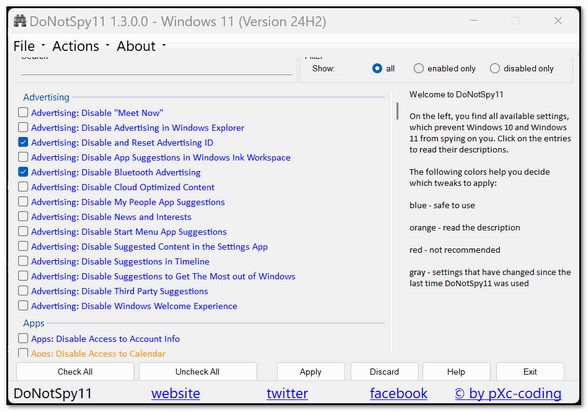
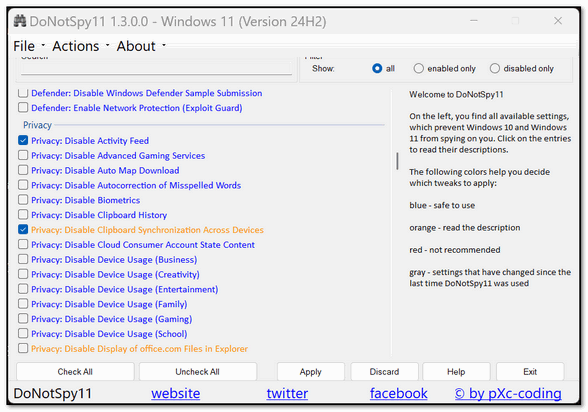
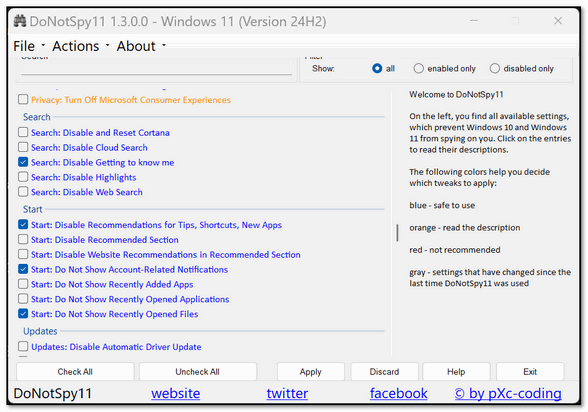
We recommend clicking on Actions (on the top toolbar) and creating a restore point before applying any changes. That way, if something goes awry or you don’t like the changes made, you can quickly revert to your original settings. We also recommend that you take time to read the documentation before you make any changes.
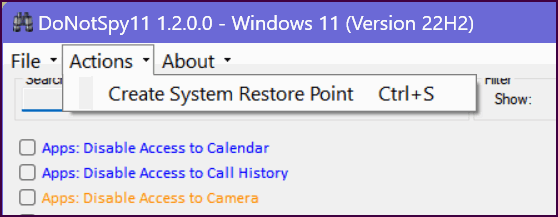
Now we’ll let the developer of DoNotSpy11 tell you more about the program:
DoNotSpy11 is the successor of DoNotSpy10, the world’s first antispy tool for Windows 10. Its straight-forward user interface allows you to manage how Windows 10, Windows 11, Microsoft Edge and Microsoft Office respect your privacy. Microsoft introduced many new “diagnostic” features with Windows 10. These services help Microsoft collect usage data and thus to provide a better service. However, collecting and sharing your data with one of the world’s leading technology companies puts your privacy at risk. There are services which are able to record your keyboard input, your speech and any other user interactions. Others share your WiFi credentials with your contact or connect you to networks shared by your contacts.
DoNotSpy11 provides you with the opportunity to easily manage what you want to share and what not. While many of the settings represent what you can configure using the Settings and various other apps, there are also tweaks that are not easily accessible through the apps Windows provides. DoNotSpy11 combines them all in one application – it’s time to protect your privacy, let’s start!
Read more about and/or download DoNotSpy11 from MajorGeeks here.