

The Helium Browser – A Cloudeight Freeware Pick
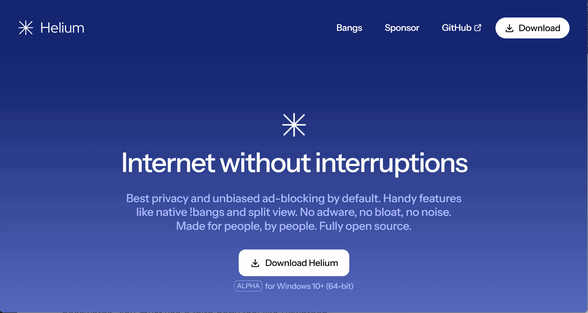
In the world of browsers, Helium is the “antidote” to the so-called “modern”, AI-obsessed, useless–feature-heavy modern browsers like Chrome, Edge, and even Brave.
If you are looking for a browser that feels refreshingly simple and clean, like browsers used to feel, I’m pretty sure you’ll love Helium.
Helium is already gaining a loyal following, and after using it and importing all my bookmarks from Firefox and Chrome, I can see why.
It’s a Better Browser; It’s Even Braver than Brave
Helium is built on Ungoogled Chromium. Its goal is to provide the speed and compatibility of Chrome without any of the Google telemetry, background data collection, AI chatbots, or “crypto-bloat” found in Brave. Helium is “zero-request” software—meaning when you open it, it doesn’t “phone home” to any server until you actually type a URL.
Helium’s Interface Is What Most People Want: Basic and Simple
The first thing you’ll notice is the Compact user interface. The tab and address bars are significantly thinner than Chrome’s, giving you more vertical space to see the actual website.
-
The Good Stuff: It’s incredibly fast and “snappy,” even on older machines. It uses all your favorite Google Chrome Extensions.
-
The Catch? None for me, really. There are no themes or fancy icons. Customization is very limited. If you like colorful themes or lots of widgets on your homepage, you won’t find them here. Helium is basic browser – like browsers used to be.
2. Helium’s “No-Nonsense” Features
Helium doesn’t just strip things away; it adds a few clever features:
-
Native uBlock Origin: This is great for everyone: pre-installed uBlock Origin. Unlike other browsers that use their own (sometimes very biased) ad-blockers, Helium ships with a full, uninhibited version of uBlock Origin pre-installed. As you may already know, uBlock Origin is a Cloudeight favorite.
-
Split View: You can open two pages side-by-side in a single window—perfect for comparing products or watching a tutorial while you code.
-
Offline!Bangs: Borrowing from DuckDuckGo, you can type
!wto search Wikipedia or!ghto open GitHub directly from the address bar. -
Private Extensions: It proxies your requests to the Chrome Web Store so Google doesn’t know which extensions you are downloading. And all Chrome extensions work with Helium.
3. OK, So What’s Missing?
Because Helium is laser-focused on privacy and minimalism, it lacks several “standard” features that might make it a tough daily driver for some:
-
No Built-in Password Manager: By design, it does not save passwords. This is a great security feature. You must use a third-party tool like Bitwarden.
-
No Cloud Sync: There is no “Helium Account” to sync your bookmarks between your phone and computer.
-
No DRM (Yet): As of March 2026, many users report issues with Netflix, Prime Video, or Spotify because Helium strips out the “DRM Blobs” required to play protected media.
-
Auto Updates: While the Mac version has auto-updates, Windows users often still have to manually download new versions from the Helium website.
The Bottom Line
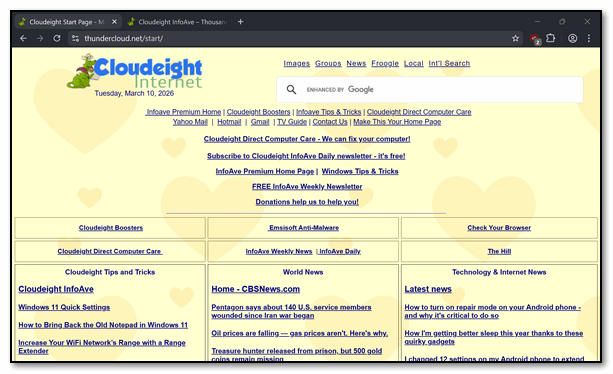
This is for those of you who want a browser that’s just a browser. It’s for those who don’t want AI integration or a bunch of bells and whistles. If you’re tired of apps that feel like a puzzle or waste your time with crazy, unnecessary stuff, you’ll feel right at home with Helium. It’s built for the computer user who takes privacy seriously and wants a simple browser that simply works. And busy professionals who need things to work correctly the first time, every time, without needing a manual, will be more than happy with Helium.
It’s a privacy browser that beats Brave by a long shot and makes the DuckDuckGo browser seem slow.

If you’re looking to ditch the bells and whistles and the ever-intrusive AI that all those “modern” browsers seem to be piling on, then Helium is a great choice. If you want a browser that makes your life easier instead of more complicated, Helium might be exactly what you’re looking for.
You can read more about and/or download Helium here.
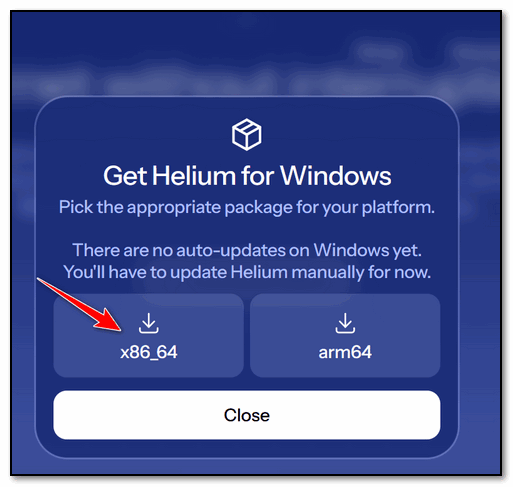
If you’re using a Windows computer, you’ll want to download the X86_64 version unless your PC has an ARM processor (most do not).
Sounds like a good browser. Is there any chance that Microsoft will continue update support for Windows 10 after October? I really like my Windows 10, and living on a fixed income, I really cannot afford to buy a new computer. Are there any good cheap computers out there that will run Windows 11 at an easy price on us old folks? I’m going to try this browser, but will windows updates still need to be required?
Microsoft Extended Support for home users will expire in October 2026. Opatch offers at least 4 more years of protection for Windows 10 users (until 2030) for about $27 a year. See this page for details.
You can buy a 15.6″ Windows 11 laptop with 12 GB of RAM and 512 GB SSD for $269.
15.6 inch Laptop, 12th Alder Lake N100(Turbo 3.4GHz) Processor,12GB RAM, 512GB SSD, 2K FHD IPS Laptops, 2.4G/5G WiFi,
What is a package, and where do I find it? Helium gives me three choices.
If you’re using a Windows computer, you’ll want to download the X86_64 version unless your PC has an ARM processor (most do not).