

ONLYOFFICE: A Cloudeight Freeware Pick
For years, the “big names” in free office software were OpenOffice and LibreOffice. While they are great and we’ve recommended them many times, sometimes they feel a bit outdated, kind of like going back 20 years. Today’s freeware pick, ONLYOFFICE, is a modern, sleek-looking, and completely free alternative that feels like it belongs in 2026.
ONLYOFFICE is an open-source – that’s a good thing! – office suite that includes everything most folks will ever need: a powerful Word-compatible document editor, a full-featured spreadsheet program, and a presentation builder. It even includes a full-fledged PDF editor that lets you edit text and add annotations without any extra software.
WHY WE PICKED ONLY OFFICE
The “Tabbed” Interface
This is the best part! Instead of having five different windows open for five different files, ONLYOFFICE uses tabs—just like your web browser. You can have a spreadsheet, a letter, and a slideshow all running in one single window.
It’s Almost a Microsoft Office Twin
It was built specifically to handle .docx, .xlsx, and .pptx files. If you’ve ever opened a Word file in another program and found the pictures and fonts were all messed up, you’ll love ONLYOFFICE. It keeps the formatting near-perfect.
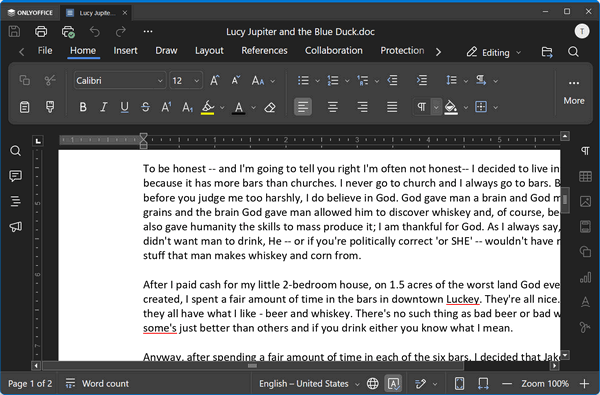
Above: A MS Word document (.docx), open in ONLYOFFICE.
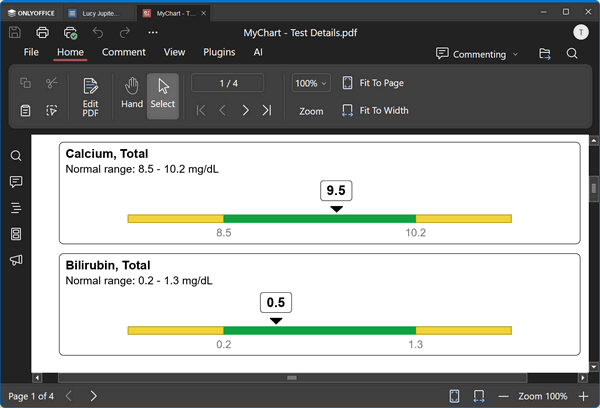
Below: A PDF file open in ONLYOFFICE.
No Bloat
Unlike the official Microsoft Office suite, which can take up gigabytes of space and run background “telemetry” (phone-home) services, ONLYOFFICE is much smaller. It’s fast and doesn’t nag you to log in to a cloud account just to type a letter.
Optional AI assistant
Yes! We hear you. Many of you automatically sneer when the letters AI appear anywhere. But wait, it’s the future, and maybe you should open your mind a little and give it a try? The newest versions have added an AI assistant (don’t worry, it’s optional!) that can help you summarize long documents or provide tips to improve your writing and grammar, plus a “Slide Master” for presentations that makes them look professional in seconds.
While we have been recommending OpenOffice and LibreOffice for years, ONLYOFFICE turned our heads. What a fantastic free Office-like application this is!
If you want an office suite that looks like MS Office but respects your privacy and is free, ONLYOFFICE is our new #1 pick. It’s perfect for Windows 10 and 11, and it’s a great way to “ditch the subscription” treadmill for good.
Download ONLYOFFICE Desktop Editors here.
Note: When you first install it, you’ll be asked to allow it to access your location. Don’t worry, if that bothers you, you can decline to let it access your location and ONLYOFFICE will still work just fine.
The website shows several versions, which one is correct?
The recommended one is the one we used.