

Hover… and Think Before You Click
One trick scammers and other miscreants use is to disguise links with text or a link that looks safe but isn’t. We have said many times, “Think before you click.” And things are not getting better. In the age of AI, it’s all too easy for miscreants to do their nasty deeds at the expense of trusting folks.
One of the things to consider is counterfeit links. Those are links that look safe or text that disguises the destination of the links. By hovering over a link, you can see the real deal – the real link – uncloaked and not disguised.
But it has come to our attention that some folks don’t see the “real” destination of the URL when they hover over links. It seems so simple, we just forgot to tell people where to look to see the real URL.
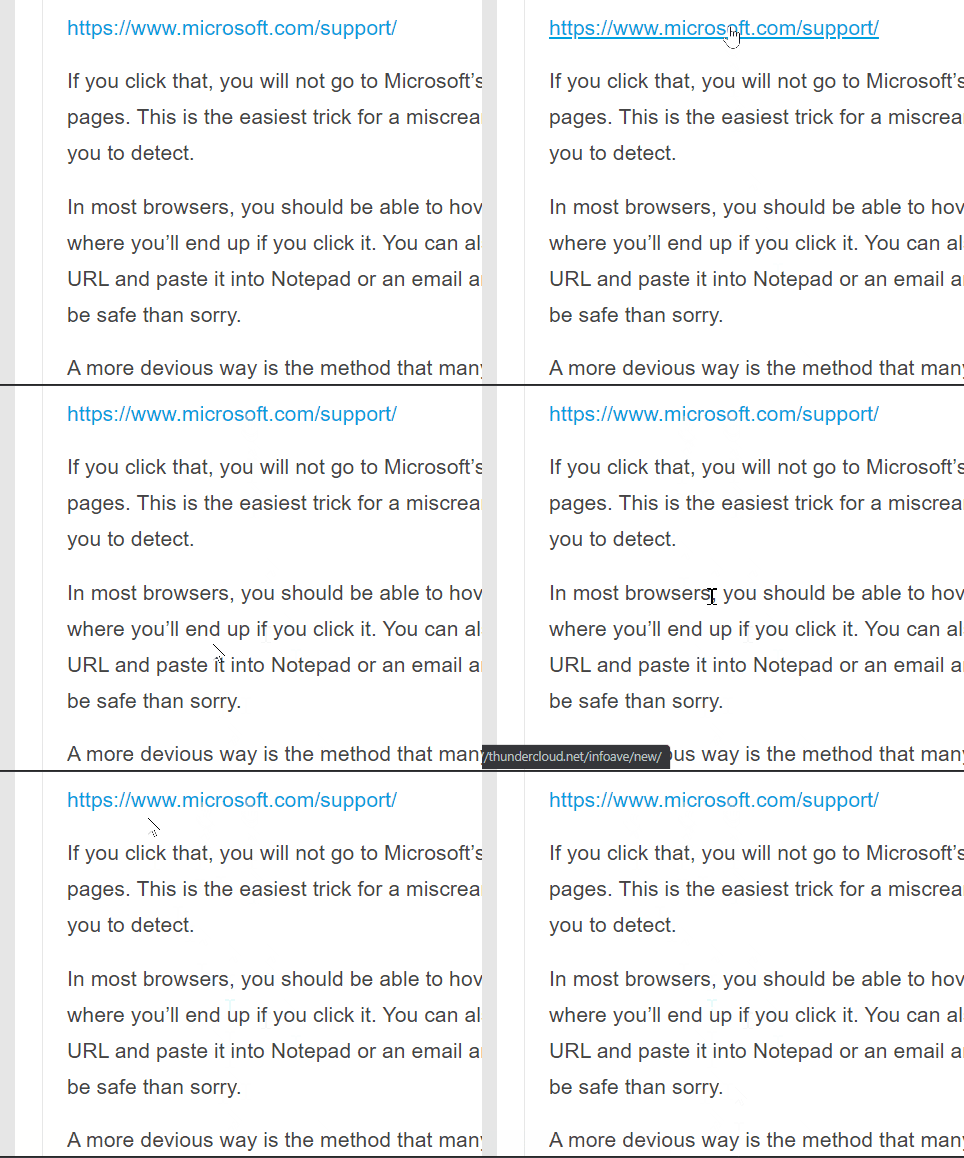
We made the animation above so that everyone can see how hovering over a link reveals the real URL. Watch as the mouse pointer hovers over the link and how the actual URL is displayed at the bottom left.
This is a fundamental tip that will help you stay safe on the Web. And remember… hover over links to see the real destination of the link…and always…
THINK BEFORE YOU CLICK!
great tip…..simple, easy to understand, straightforward but very very useful. Bravo !
Thanks for the refresher!