

Laine (and many others) want to know how to set a home page in their browser
How can I make Cloudeight my home page?
Our answer
The fastest way to set a home page in your browser is to visit the page you want to make your home page — in your case www.thundercloud.net/start/ . Once you are on the page you want to make your home or start page, follow the instructions below for your browser:
Internet Explorer
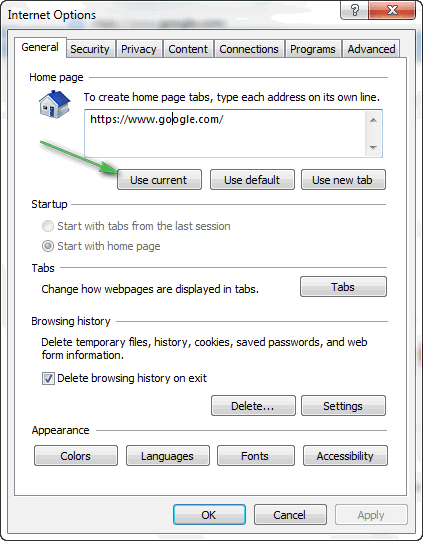
Click “Tools/Internet Options”. In the dialog which appears click the button that says “Use Current” (See screen shot below):
Chrome
Click the Tools icon (top right – three horizontal lines), then click Settings. Under “On startup”
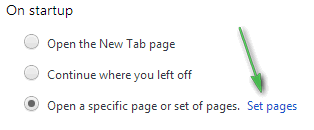
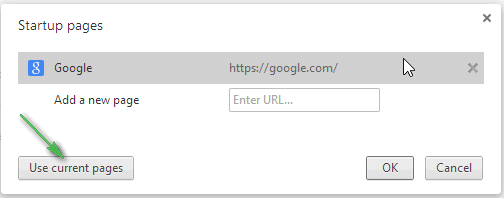
Click “Set pages” (above) then click “Use current pages”(below) then click OK.
Firefox
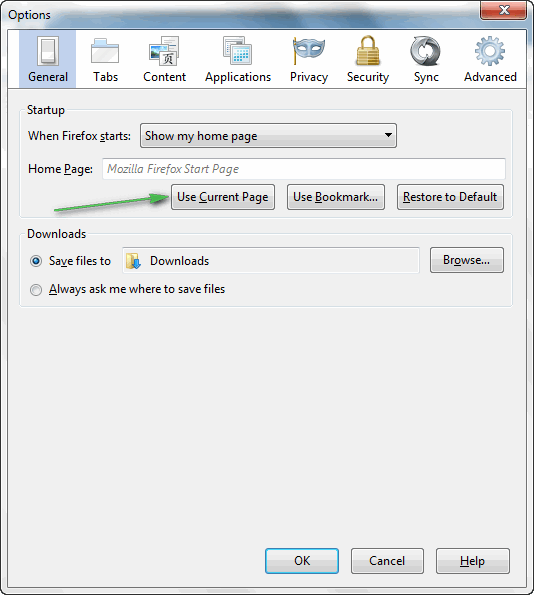
Click Tools/Options on the menu bar and click “Use Current Page” and then OK.
Hope this helps.
Having read “how to set a home page”….. So how do I set a home page in Safari on my iPad please
Thanks
Exactly the same way. Visit the site, go into Options, and click Use current page. All browsers set home pages the same way.